Flocking Example - Seek
A well-known example of agent-based modeling is simulating flocking behavior. This canonical model, developed by Craig Reynolds, features birds known as "boids."
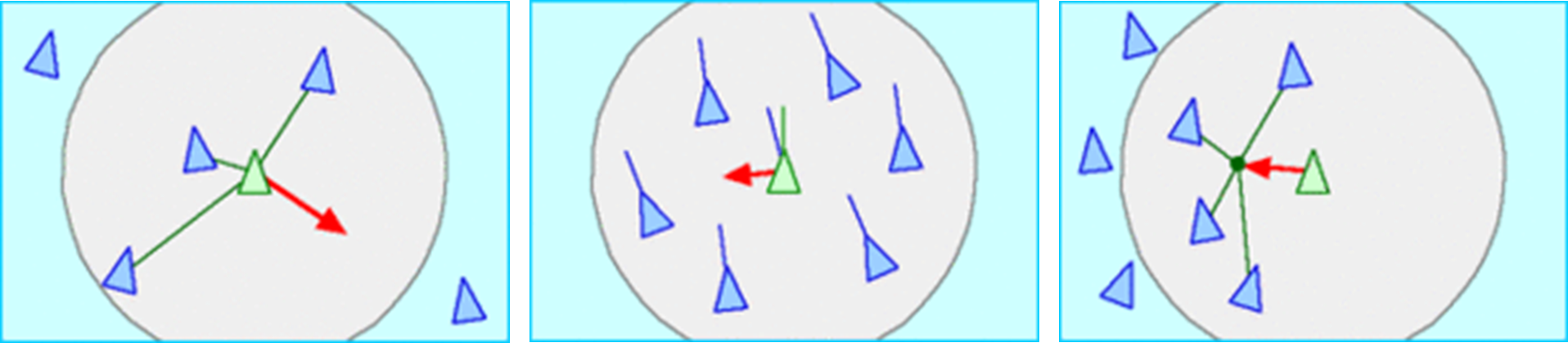 Seperation, Alignment and Cohesision behaviours by Craig Reynolds
Steering Vector
To create a smooth simulation, we produce a steering vector. A steering vector is the result of the desired velocity (the vector to the target from the current position) minus the current direction vector.
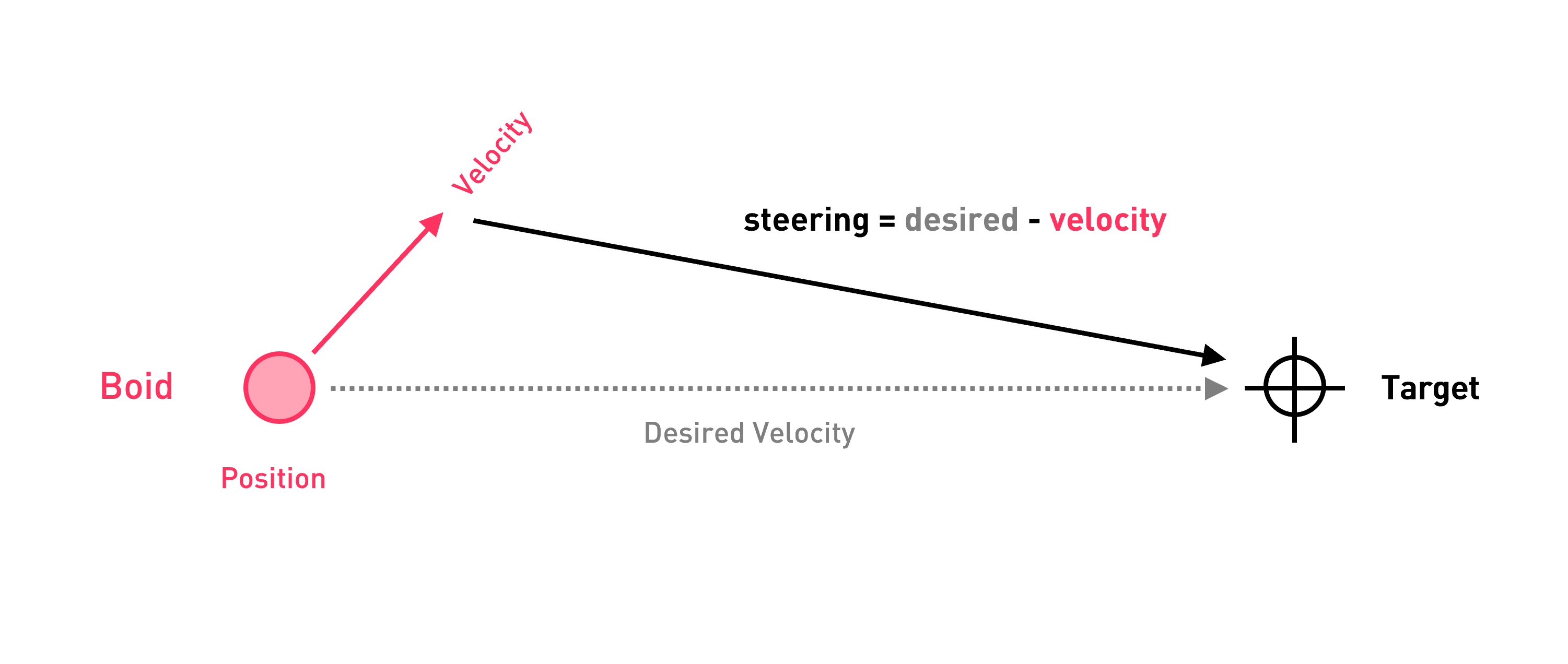
Seek Behavior Example
The grasshopper handout can be found here
A simple way to explain the ABxM behaviour structure is with a simple "seek behaviour". The agent will go towards a given point.
This example will be in Python and the assumption the latest version of ABxM is installed.
To start, create a python component like this
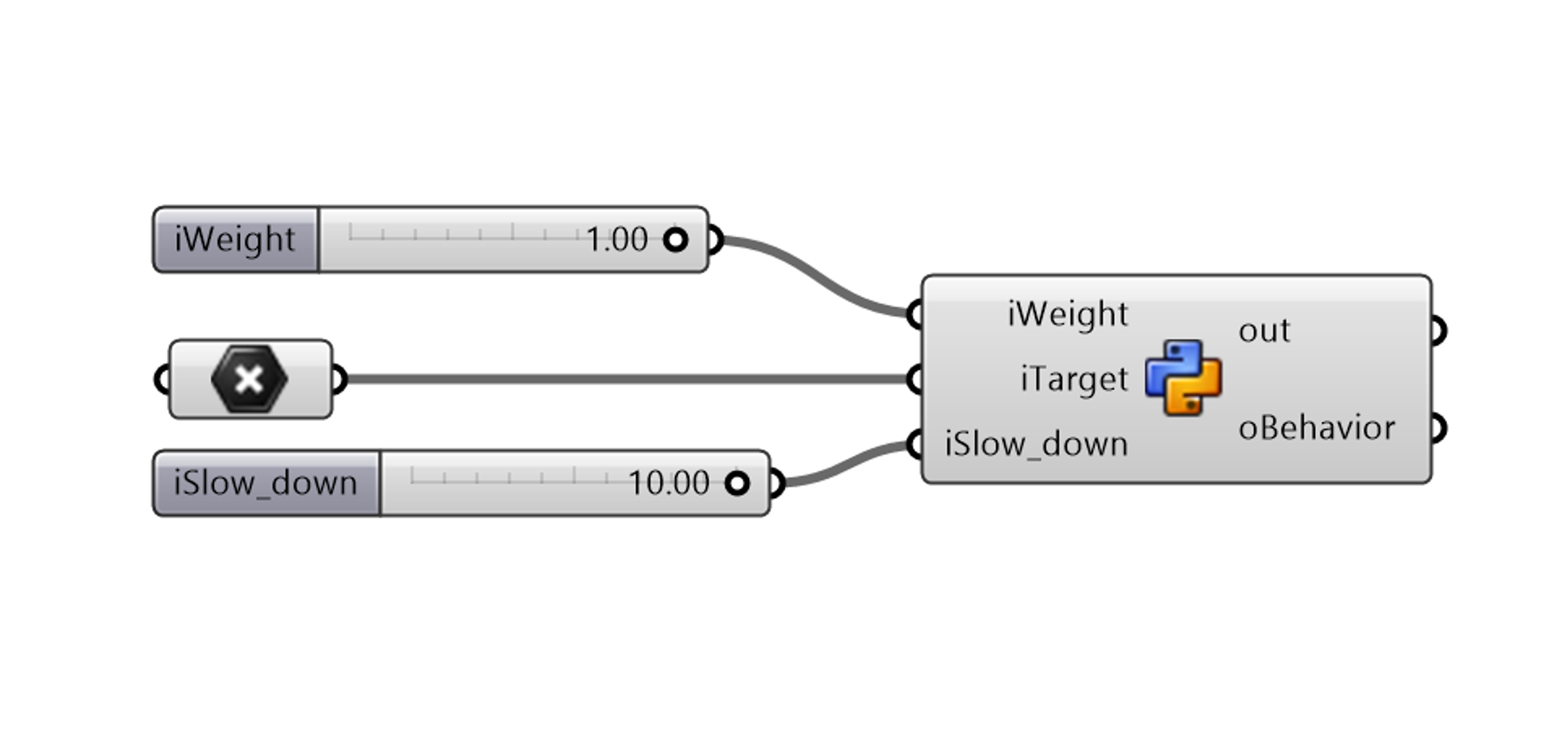
Next, we will import the ABxM and Rhino libraries.
import Rhino.Geometry as rg
import clr #.NET Common Language Runtime (CLR)
clr.AddReference("ABxM.Core.dll")
import ABxM.Core as abm;
The behaviour code is always an child class of BehaviorBase . The core logic of the behavior will be implelemented in the Excecute function.
The structure of the behaviour will look like this
class SeekBehavior(abm.Behavior.BehaviorBase):
    def __init__(self, weight,target,slow_down):
     #Initalise properties

    def Execute(self, agent):
    #Behaviour Logic
In this behaviour we will also implement a slow down feature,so the closer it gets to the point the slower it gets.
FIrst we will intialise the propeties.
    def __init__(self, weight,target,slow_down):
        self.Weight = weight
        self.Target = target
        self.SlowDownRadius = slow_down
next we will define the behaviour logic.
def Execute(self, agent):
        # Define the agent
        boid = agent

        #Calculate the desired velocity
        desired_velocity = (self.Target - boid.Position)

        #Give it the max speed
        desired_velocity.Unitize()
        desired_velocity *= boid.AgentSystem.MaxSpeed

        #If within the slow down radius, slow down
        distance=self.Target.DistanceTo(boid.Position)
        if self.Target.DistanceTo(boid.Position) < self.SlowDownRadius:
            desired_velocity *= distance/self.SlowDownRadius

        #Calculate the steeringv vector
        steering = desired_velocity - boid.Velocity

        #Add it to the boids forces
        boid.AddForce(steering * self.Weight)
We never directly modify the agent vector. We only add it to the force list. This is to ensure that the agent state remains the same for all other agents
Lastly, we need to instantiate the behaviour and output it.
behavior = SeekBehavior(iWeight,iTarget,iSlow_down)
oBehavior = behavior
Full Code
import Rhino.Geometry as rg

import clr
clr.AddReference("ABxM.Core.dll")
import ABxM.Core as abm


class SeekBehavior(abm.Behavior.BehaviorBase):
    def __init__(self, weight,target,slow_down):
        self.Weight = weight
        self.Target = target
        self.SlowDownRadius = slow_down


    def Execute(self, agent):
        boid = agent

        desired_velocity = (self.Target - boid.Position)
        desired_velocity.Unitize()
        desired_velocity *= boid.AgentSystem.MaxSpeed
        distance=self.Target.DistanceTo(boid.Position)

        if self.Target.DistanceTo(boid.Position) < self.SlowDownRadius:
            desired_velocity *= distance/self.SlowDownRadius

        steering = desired_velocity - boid.Velocity
        boid.AddForce(steering * self.Weight)


behavior = SeekBehavior(iWeight,iTarget,iSlow_down)

oBehavior = behavior